
Last updated November 19, 2026
Setting up a customizable product by hand takes about 4 hours. With VUEY, you do it in about 5 minutes and approve every change.
VUEY is the AI assistant inside VU OS, product customization software for established brands. Tell VUEY the product configurator you need, and it sets up every tab, option, color list, upload setting, material, and lighting choice for you to review.
VUEY is available now for all VU OS customers. Describe what you need in plain language, and VUEY drafts a plan: the customizer to build, the orders to find, or the settings to change. Nothing is saved until someone on your team reviews it and approves it.
How does VUEY work? Ask, review, and approve
VUEY works in three steps, and you stay in control of the last one.
- Ask. Type what you need, the way you’d ask a teammate. Link a web page or attach a file, like an image, PDF, spreadsheet, or spec sheet, if it helps explain the job.
- Review the plan. VUEY replies with a numbered plan of every change it would make. It also lists what it couldn’t do and anything you should check, like a color list two products would share.
- Approve and save. Nothing changes in your program until you confirm the plan. If something’s off, tell VUEY and it revises the plan first.
How to copy a product’s customizer options in about 5 minutes
Here’s a request from our own team. A 10 oz Kids Cup with Straw Lid had just been created, and it needed the same setup as an existing product:
“I just created a 10 oz Kids Cup with Straw Lid. Seed it with all the same options as our 34 oz ceramic bottle.”
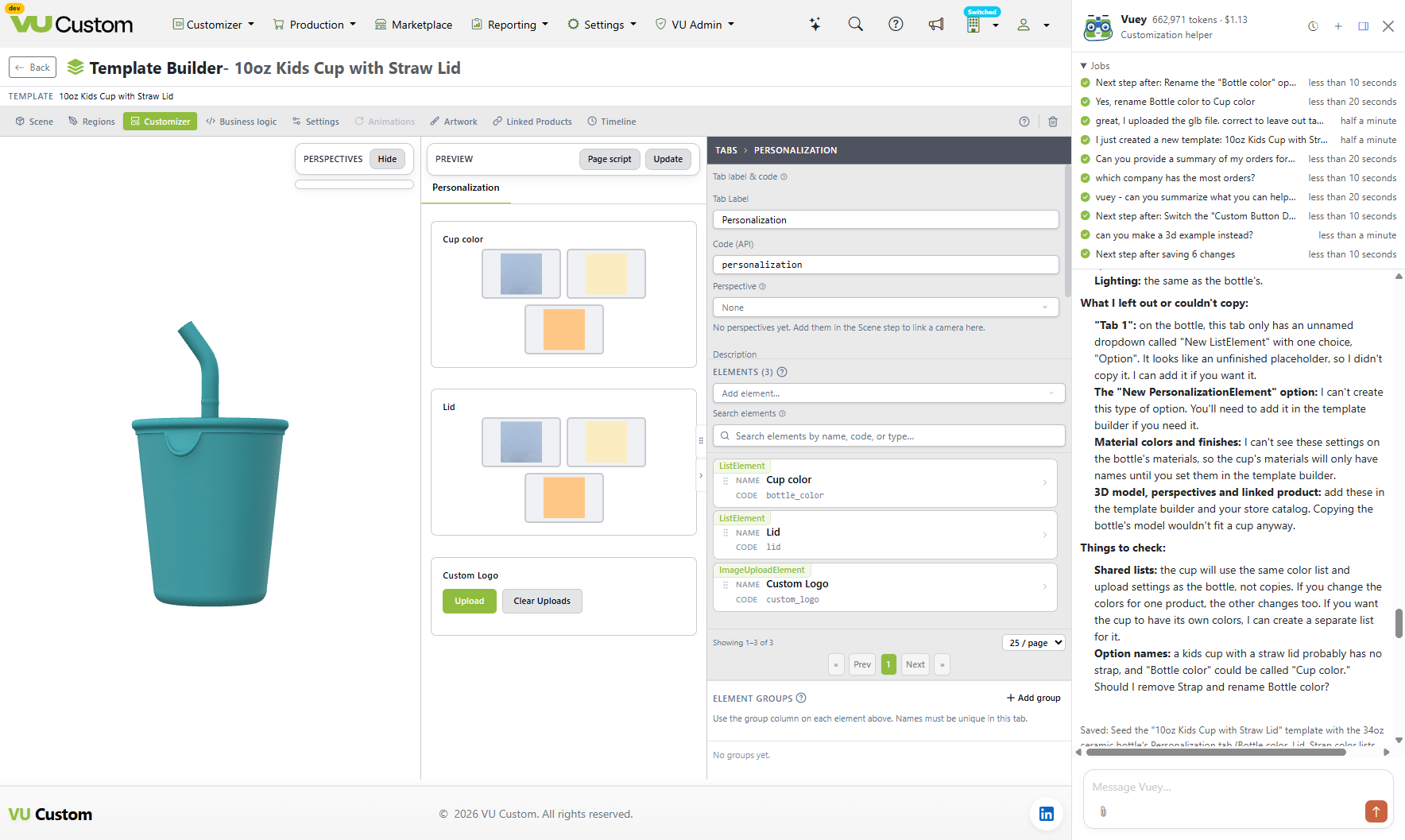
VUEY came back with a one-change plan to copy:
- The Personalization tab: bottle color, lid, and strap options using the same color list, plus the logo upload with the same PNG and JPG settings, image terms, and agreement checkbox
- Five materials: with stray spaces cleaned out of their names and codes
- Lighting: matched to the bottle
It also told us what it left out, and why:
- An unfinished placeholder tab on the bottle, which it offered to add if we wanted it
- An option type it can’t create, to add in the template builder instead
- The bottle’s 3D model, since a bottle model wouldn’t fit a cup
And it asked two questions before saving anything. The cup would share the bottle’s color list, so changing one would change both: did we want a separate list? And does a kids cup with a straw lid need a strap, or should “Bottle color” become “Cup color”?
How we got these numbers: Michelle Bengermino, VP of Product, estimated the by-hand times for this product, which has one Personalization tab with four options (color, lid, strap, and logo upload), five materials, and lighting. The 5 minutes is the time spent in the conversation with VUEY, from the first request to the approved plan.
Weighing product customization software? See VUEY build a product configurator in a VU OS demo.
Build a 2D or 3D product configurator with VUEY
VUEY can start a new product configurator from whatever you already have. This table shows the three starting points, what to give VUEY for each, and what it builds.
| Start from | What you give VUEY | What it builds |
|---|---|---|
| A product you’ve already set up | The name of the existing product and the new one | A copy of its tabs, options, lists, upload settings, materials, and lighting, adjusted for the new product |
| A product matrix or rule set | A spreadsheet or spec sheet, attached to your message | Options and rules that match it |
| A customizer you like | A link to the page | A similar set of tabs and options on your own product |
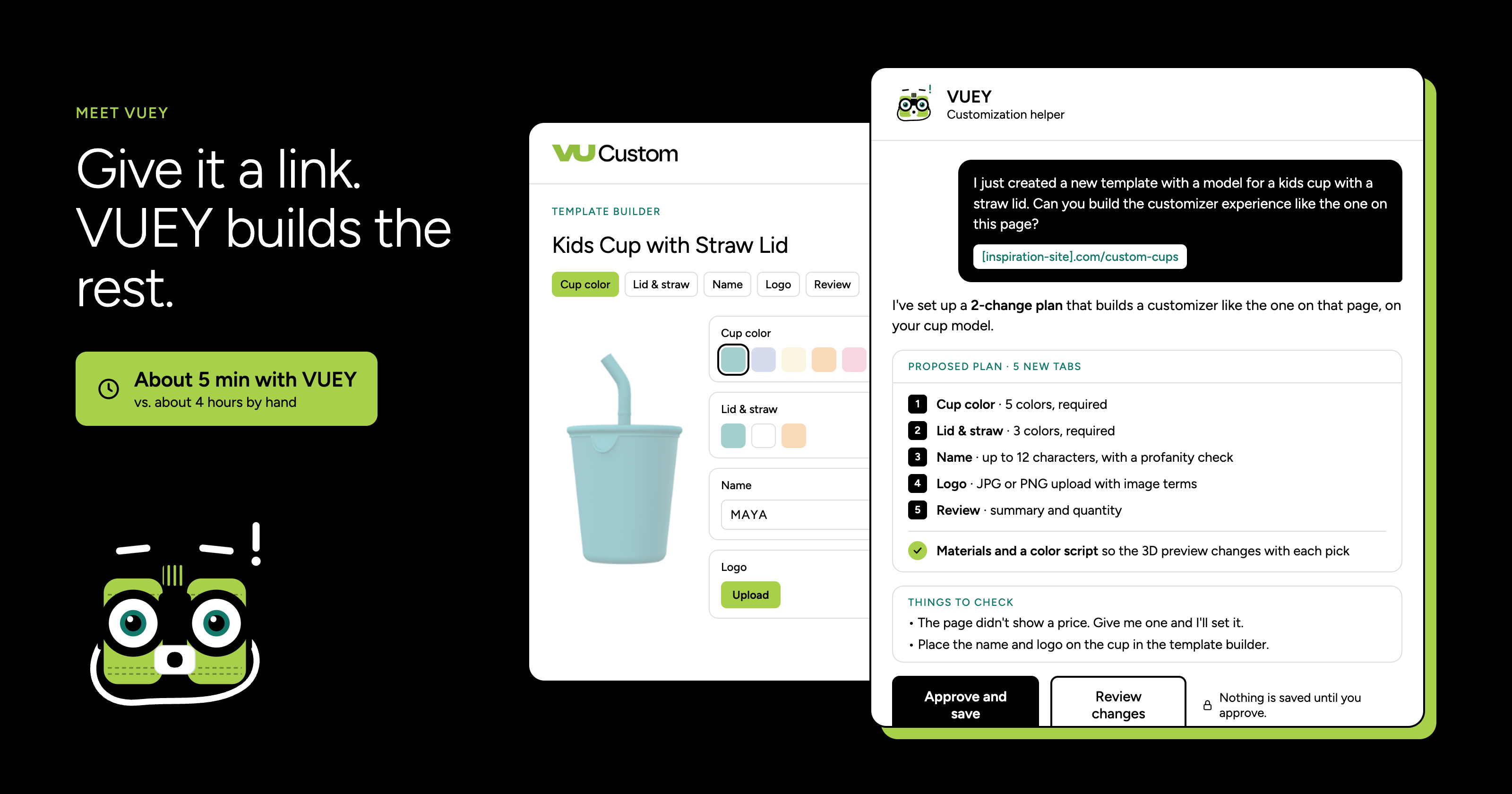
From a candle brand’s product page, for example, VUEY built a five-tab customizer: Fragrance, Design, Photo, Message, and Review. It also updated the wax-color script so the 3D preview matches the fragrance a shopper picks.
Once a customizer exists, VUEY handles changes too. It can rename patterns to your real fabric names, add a new fit, or require initials when a shopper picks a monogram location. It works across 2D and 3D products: tabs, options, prices, notices, text boxes, upload settings, decoration, layout, scripts, UV maps, lighting, production artwork, colors, and color palettes.
One thing to do yourself: upload 3D models in VU OS first. VUEY can read files you attach, but it can’t save them into your products. Once the model is uploaded, VUEY can link it to the product and set up the scripts that change it as shoppers pick options.
Ask about your orders, from cart to factory
You don’t need a report built or a set of filters to answer a question about your program. Ask VUEY, and it answers from your own order data.
- Find orders by number, date, status, SKU, tag, factory, store, sales channel, reorder, or late shipment.
- See an order’s details: its lines, status history, shipping, and fulfillment.
- Get totals of orders, units, and revenue by status, SKU, factory, store, or channel, by day, week, or month.
- Check production setup: order routing, factories, travelers, and printers.
Here’s a question we asked in our demo account:
“Can you provide a summary of my orders for the most recent month on record? I’d like to know the total number and dollar amount, the most commonly ordered item, and the busiest order date.”
VUEY’s answer covered all three, and went one step further:
- Totals: 12 orders, 19 items, and $1,338.52 in revenue, all still in New Order status
- Top item: VUDEMO-SECRID, ordered 7 times across 5 orders. DEMOKNIFE sold fewer units but brought in the most revenue, at $502.55.
- Busiest day: November 9, with 6 orders and $555.52, half of the month’s orders
- Context it added: June had about the same number of orders (13) but much more revenue, at $4,341.00
How to manage users, settings, and brand control without a developer
Program administration in VU OS is already no-code. VUEY makes it faster: describe the change, and VUEY finds the right settings.
- People and access: users, roles, stores, and company settings
- Catalog: tags, tag types, extra charges, product categories, and reasons
- Brand control: profanity filters that keep offensive text off your products
- Communication: announcements to your team in VU OS
When a new merchandiser joins, ask VUEY to add them with the right role. When a new word needs blocking, ask VUEY to add it to your profanity filter. Each change still comes back as a plan for you to approve.
What are VUEY’s limits?
An assistant that can change your program needs clear limits. These are VUEY’s:
- It never saves without approval. Every change is a plan until someone on your team confirms it.
- It can only do what your account can do. VUEY works within your permissions, and what it can create, edit, or delete depends on the type of record.
- It never handles credentials. Passwords, API keys, and other credentials stay on the normal edit pages in VU OS.
- It tells you what it couldn’t do. If part of a request is out of reach, VUEY says so and tells you where to finish it, like the template builder.
- It corrects itself. If VUEY gets something wrong, it says so in the conversation and explains the right way to do it.
What to ask VUEY: prompts to try
Copy any of these into VUEY and swap in your own product names.
Build a customizer
- “I just created [new product]. Seed it with all the same options as [existing product].”
- “Here’s our product matrix. Set up the options and rules for [product] to match it.”
- “Here’s a link to a customizer we like. Set up [product] the same way.”
Change a customizer
- “Rename the patterns on [product] to our real fabric names.”
- “Require initials when someone picks a monogram location.”
- “Add a 30 oz size to [product] for $4 more.”
Ask about orders
- “Summarize last month’s orders: total orders and revenue, top SKU, and busiest day.”
- “Show me late shipments by factory.”
- “Which SKUs brought in the most revenue this month?”
Run your program
- “Add a user for our new merchandiser and give them the [role] role.”
- “Add these words to our profanity filter.”
- “What can you help me with?”
Frequently asked questions
What is VUEY?
VUEY is the AI assistant inside VU OS, our product customization software. It builds and changes customizers, answers questions about your orders, and updates your program settings. Every change is a plan you approve before it’s saved.
Who can use VUEY?
VUEY is available now for all VU OS customers.
Does VUEY change anything without asking?
No. VUEY drafts a plan, and nothing is saved until someone on your team reviews and confirms it.
Can VUEY build a 3D customizer?
Yes. VUEY works with 2D and 3D products, including UV maps, lighting, colors, and the scripts that update the 3D preview. Upload the 3D model in VU OS first, and VUEY can link it to the product.
Can VUEY see data my account can’t?
No. VUEY can only do what your account is allowed to do, and it never handles passwords, API keys, or other credentials.
How to get started with VUEY
If you’re on VU OS, VUEY is ready now. Open VU OS and ask VUEY what it can help with, or start with one of the prompts above.
Not on VU OS yet? See how VU OS runs a customization program from configurator to factory.